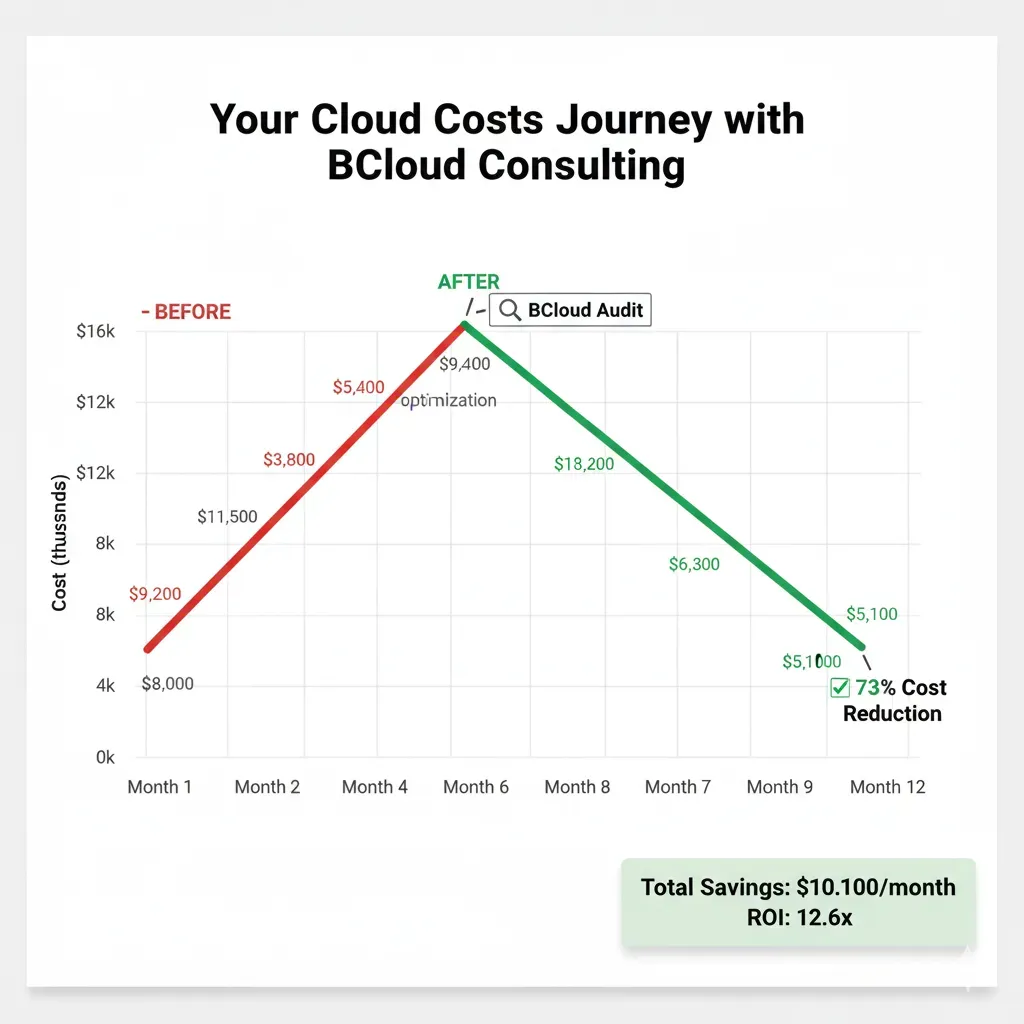
Did Your AWS Bill Increase 300%in 6 Months Without Explanation?
70% of companies spend 35% more than necessary on cloud. I reduce your bill 30-50% guaranteed in 60 days or full refund.
Identify where you're losing money NOW • No commitment • 24h response
The 5 Symptoms of Cloud Overspending
Do you recognize any? (Spoiler: Most suffer all 5)
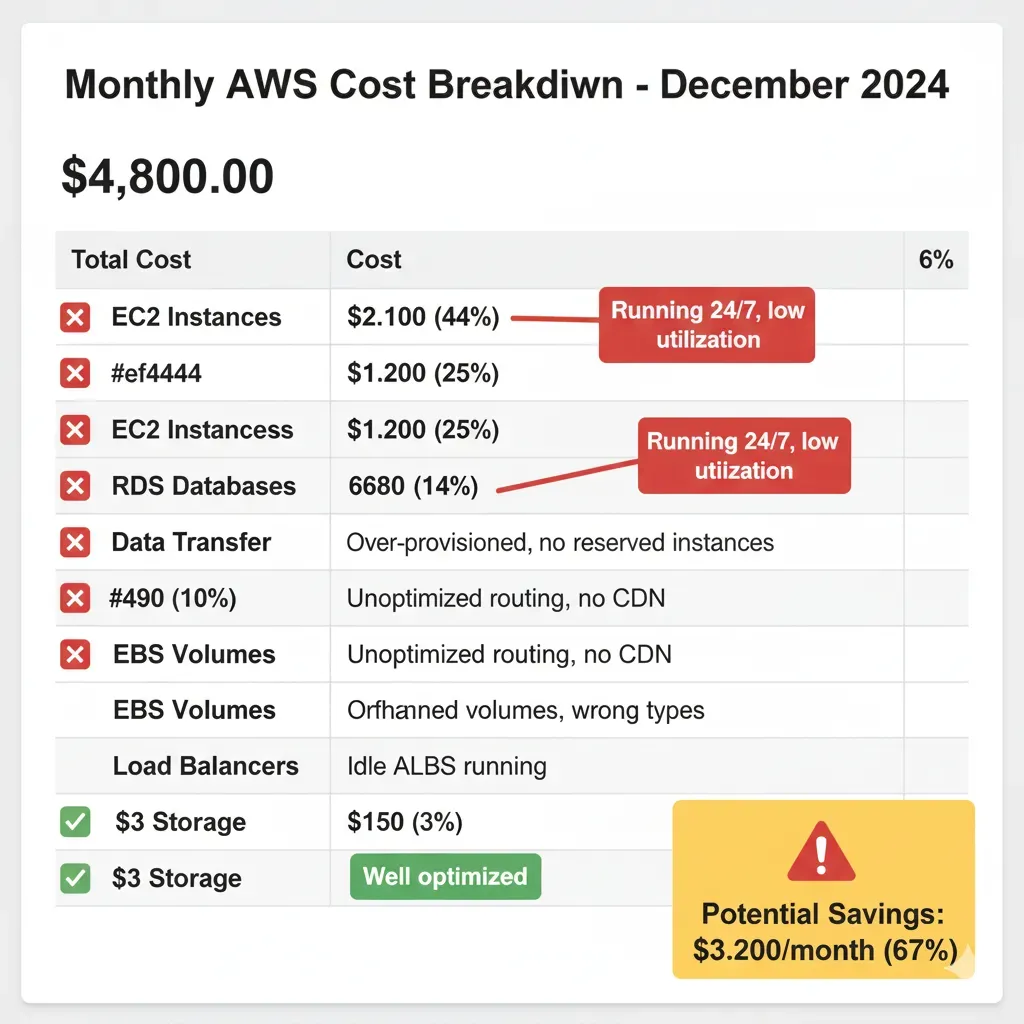
Unpredictable Bills
Month 1: $5k. Month 2: $10k. Month 3: $15k. Why?
Your CFO asks and you don't know how to answer
Cost: $40k/year in unplanned overruns
Emotion: Shame + Frustration
24/7 Idle Resources
Dev environments running on weekends
EC2 instances forgotten since 8 months ago
Cost: $8k/year in zombie resources
35% of your typical bill
No Idea Who Spends What
Marketing blames Engineering
Without tagging, impossible cost attribution
Cost: Impossible to optimize without visibility
Emotion: Chaos + Helplessness
Over-Provisioned
You bought m5.8xlarge when m5.2xlarge would suffice
RDS with 10TB storage, only using 800GB
Cost: 40% compute/storage overspending
"I was afraid of running out"
LLM API Costs Explosion
OpenAI GPT-4: $3k → $8k in 3 months
Without caching, every query calls API
Cost: $50k/year in wasted LLM
"AI is bankrupting us" (2025 pain)
📊 Typical SaaS Company ($25k/month cloud) LOSES:
✗ $35k idle/zombie resources
✗ $30k over-provisioning
✗ $25k unoptimized LLM API
The Solution: Complete FinOps Audit in 14 Days
Without Disrupting Your Operation - Zero Downtime
Read-Only Access
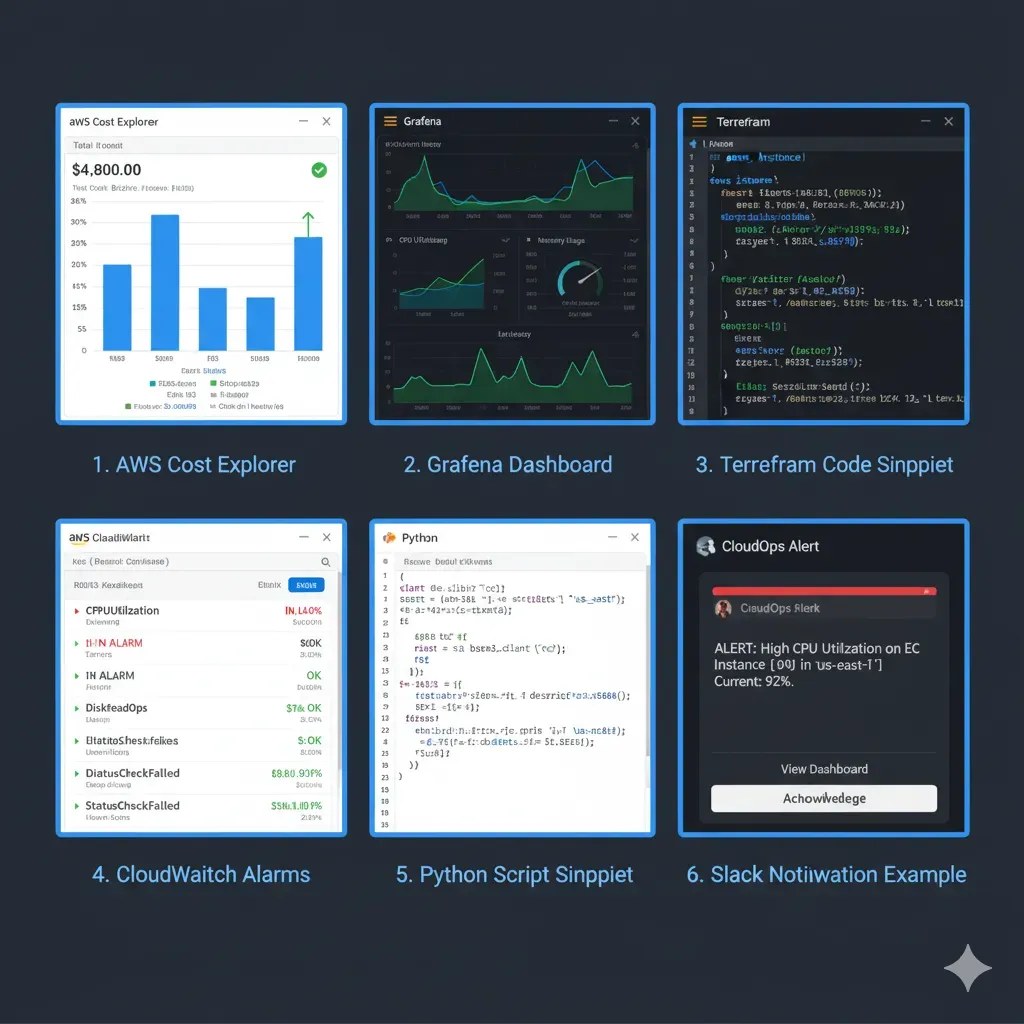
AWS Cost Explorer
Audit
Identify waste
Roadmap
Prioritized
Implementation
Quick wins
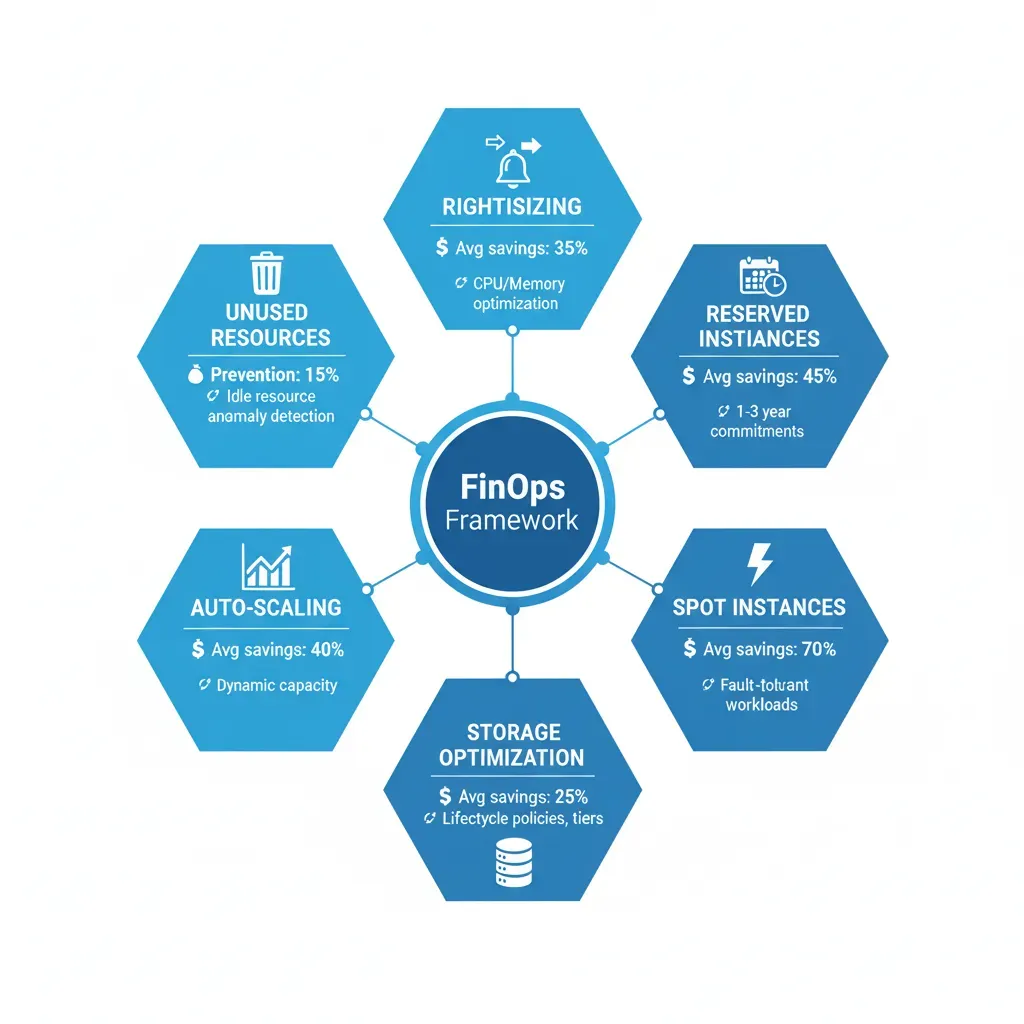
30-50% Bill Reduction
Real case: $15k/month → $5k/month (68% reduction)
ROI: $120k/year - $12k fees = $108k NET
Total Cost Visibility
Real-time dashboard: Who spends what, when, why
Happy CFO, CTO sleeps soundly
Right-Sized Architecture
From "over-provisioned by fear" → "optimized by data"
Same performance, -40% cost
Controlled LLM/AI Costs
Smart caching (70% API call reduction) + model routing
From $5k/month → $3k/month LLM
3 Proven Strategies: Reserved Instances, Spot Instances, Rightsizing
I implement the 3 main AWS savings levers with verified real cases
Reserved Instances
1-3 year commitment for predictable workloads = 40-72% discount vs on-demand
Real Example:
RDS db.r5.4xlarge: $2,100/month on-demand → $700/month Reserved (67% savings)
- ✅ Best for: RDS, ElastiCache, EC2 base load
- ✅ Typical ROI: 3-4 months payback
- ✅ Convertible RIs: Instance type flexibility
Spot Instances
AWS excess capacity = 50-90% discount (average 70% savings)
Real Example:
ML training: $25k/month on-demand → $7k/month Spot (72% savings)
- ✅ Best for: Batch jobs, CI/CD, ML training, K8s workers
- ✅ NOT for: Production customer-facing services
- ✅ Automatic fallback to on-demand if interrupted
Rightsizing
30-90 day real metrics analysis → downsize 20-40% with zero performance impact
Real Example:
EC2 c5.2xlarge (8 vCPUs) with 12% CPU avg → c5.xlarge = $150/month savings PER INSTANCE
- ✅ Monitoring: CloudWatch 90-day CPU/RAM/Network
- ✅ Staged rollout: Test → Staging → Prod
- ✅ Rollback plan: <15 min revert if issues
My Step-by-Step Cloud Cost Optimization Process
A proven cost optimization process that delivers 30-50% savings without disrupting your operations. My implementation roadmap includes detailed audit phases, risk-free execution, and measurable ROI tracking.
Phase 1: Discovery
I start with a comprehensive cloud cost audit analyzing your AWS/Azure spend across all services. My automated tools scan 200+ cost optimization opportunities including:
- ✓Unused resources (idle EC2, orphaned EBS volumes)
- ✓Over-provisioned instances (CPU <20% utilization)
- ✓Inefficient storage (old snapshots, cold data in S3 Standard)
- ✓Data transfer costs (cross-AZ traffic, CloudFront misconfig)
Duration: 3-5 days
100% read-only access, zero downtime
Phase 2: Analysis
I prioritize findings by ROI impact and create a custom implementation roadmap. Each recommendation includes:
- ✓Estimated monthly savings ($)
- ✓Implementation effort (hours)
- ✓Risk level (low/medium/high)
- ✓Performance impact assessment
Duration: 5-7 days
Detailed report with exec summary for CFO/CTO
Phase 3: Execution
I implement quick wins first (20-30% savings in 2-4 weeks), then tackle long-term optimizations. My cost optimization methodology ensures:
- ✓Terraform/CloudFormation IaC for all changes
- ✓Rollback plan for every modification
- ✓Staging environment testing before prod
- ✓Performance monitoring during migration
Duration: 4-8 weeks
Phased rollout with weekly progress updates
Cost Allocation & Tagging Best Practices
Without proper cost allocation, you can't answer "Who's spending what?" My tagging strategy enables chargeback, budget alerts, and financial governance across teams.
Why Cost Allocation Tags Matter
78% of cloud teams can't accurately attribute costs to projects/departments. This leads to:
- ✗Budget overruns with no accountability
- ✗Finance disputes ("This isn't our spend!")
- ✗Impossible to calculate project profitability
- ✗No visibility into team/product cloud efficiency
Real example: SaaS company discovered $8k/month unused dev environments only after implementing tagging (Environment=dev, Owner=teamX, Project=legacy-migration)
My 6-Dimension Tagging Framework
I implement a standardized tagging strategy across all AWS resources:
1. Cost Center
CostCenter=Engineering / Marketing / Sales
2. Project/Product
Project=ProjectX / Product=MobileApp
3. Environment
Environment=production / staging / dev
4. Owner
Owner=team-backend / Owner=john.doe@company.com
5. Application
Application=api-gateway / Application=analytics-pipeline
6. Compliance
Compliance=GDPR / Compliance=HIPAA
Result: 100% cost attribution accuracy. CFO can generate P&L by product, department, or project in real-time.
Automated Tag Enforcement & Governance
Manual tagging fails. I implement automated tag enforcement using:
AWS Config Rules
Block resource creation without required tags
Lambda Auto-Tagging
Auto-apply Environment/Owner tags based on CI/CD pipeline metadata
Weekly Audit Reports
Slack alerts for untagged resources + owner notification
Monitoring & Continuous Cost Optimization
Cost optimization isn't one-time. I implement cost monitoring dashboards, anomaly detection alerts, and ongoing governance to prevent cost drift.
Real-Time Cost Monitoring Dashboards
I build custom Grafana/CloudWatch dashboards showing:
- •Daily spend by service (EC2, RDS, S3, Lambda, etc.)
- •Cost per customer/tenant (for SaaS multi-tenant)
- •Budget vs actual with variance alerts
- •Efficiency metrics (cost per API call, per GB stored)
- •Reservation utilization (RIs, Savings Plans %)
Auto-Refresh Every 6 Hours
Shared with CFO, CTO, Engineering Leads via read-only links
Intelligent Cost Anomaly Detection
ML-powered anomaly detection catches cost spikes before they become disasters:
- ⚠Spend spike >20% daily: Slack alert to on-call engineer
- ⚠New resource type: "EC2 instance type r6g.16xlarge created (never used before)"
- ⚠Data transfer surge: "Cross-region traffic up 300% (misconfigured S3 replication?)"
- ⚠Idle resources: "RDS instance idle 7 days (CPU <5%)"
Real save: Client caught $12k/month runaway Lambda loop in 4 hours (before it hit daily budget cap)
Ongoing FinOps Governance Policies
I implement automated governance to prevent cost drift long-term:
Budget Guardrails
Auto-stop dev/staging at $X daily spend
Scheduled Shutdowns
Dev environments off 8pm-8am, weekends
Rightsizing Recommendations
Monthly report: "EC2 X underutilized, downgrade saves $Y"
RI/SP Renewals
Auto-renew expiring reservations (60-day notice)
My Cloud Cost Optimization Tech Stack
I leverage industry-leading tools for cloud cost management: Terraform for IaC, CloudWatch/Grafana for monitoring, Cost Explorer for analytics, and custom Python automation. For specific LLM cost optimization techniques, see my guide on 10 LLM optimization techniques to reduce costs by 73% in production.
Infrastructure as Code
- Terraform: All cost optimizations as code (reproducible, version-controlled)
- CloudFormation: Native AWS IaC for complex stack migrations
- Terragrunt: DRY Terraform configs across multi-account setups
Monitoring & Dashboards
- CloudWatch: Native AWS metrics + custom business metrics
- Grafana: Beautiful real-time cost dashboards (exec-friendly)
- Datadog: Unified observability (APM + infrastructure + costs)
Cost Analytics Platforms
- AWS Cost Explorer: Native cost breakdown + forecasting
- AWS CUR: Cost & Usage Reports for granular analysis
- CloudHealth (VMware): Multi-cloud cost management
Custom Automation
- Python + Boto3: Custom scripts for AWS API automation
- Lambda Functions: Serverless cost optimization jobs
- EventBridge: Scheduled cleanup tasks (orphaned resources)
Commitment Management
- AWS Compute Optimizer: ML-powered rightsizing recommendations
- Savings Plans Calculator: Custom ROI analysis for commitments
- Reserved Instance Planner: Track utilization + expiry dates
Reporting & Business Intelligence
- QuickSight: Executive dashboards (CFO-friendly P&L by product)
- Athena: SQL queries on CUR data for ad-hoc analysis
- Custom CSV exports: Monthly cost breakdown by tag dimensions
All tools included in my service—no hidden fees. I configure, maintain, and train your team on the entire stack.
Ready to see your savings roadmap?
Free 30-min Audit →Real Cases: How I Reduced Cloud Costs
(Last 12 Months - Verifiable Results)
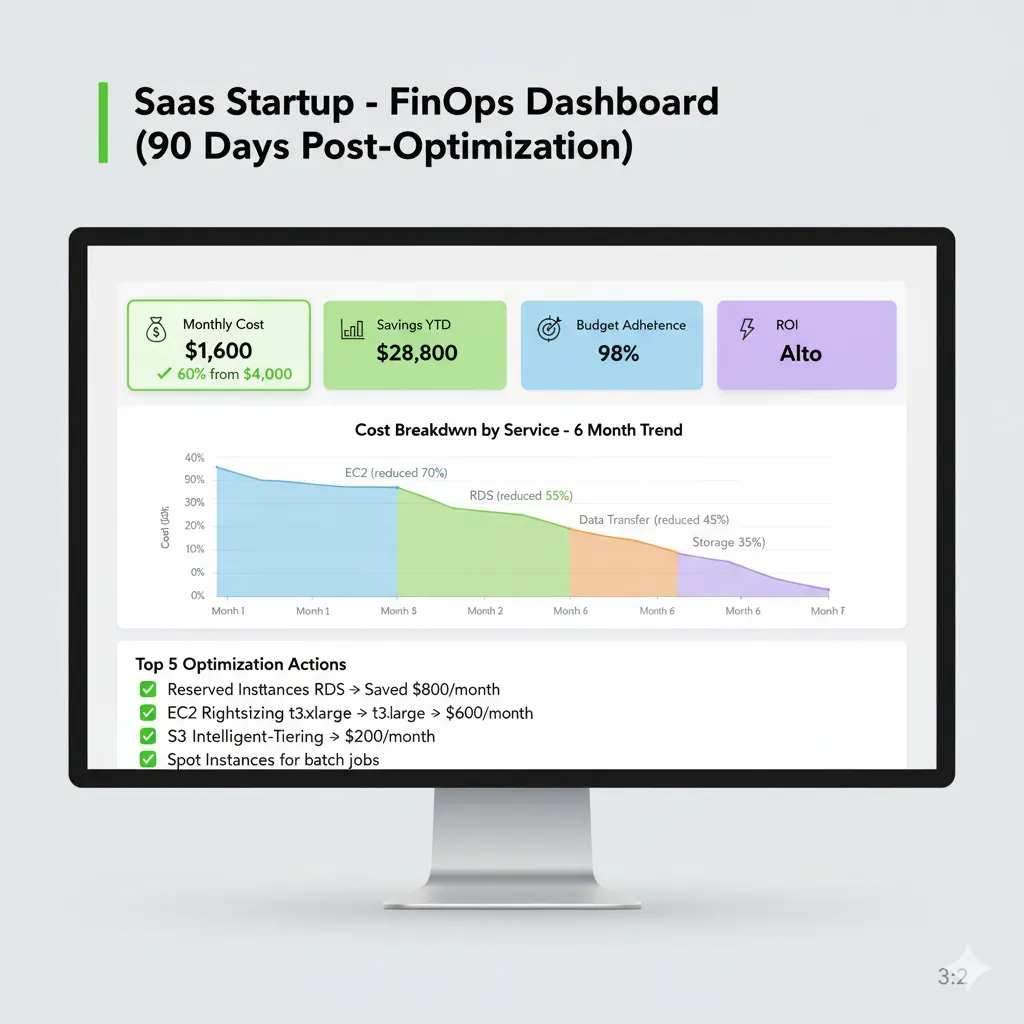
SaaS Startup (Series A-B)
FinTech Startup (Anonymous)
Savings: $84k/year
Timeline: 6 weeks | Fee: $18k | ROI: $66k net
What I Did:
- Kubernetes rightsizing (40% node reduction)
- RDS reserved instances (65% savings vs on-demand)
- S3 lifecycle policies (82% storage costs down)
- Lambda memory optimization (30% faster + cheaper)
"Extended runway by 8 months. We avoided raising a bridge round."
— CTO FinTech Startup
AI/ML Company (LLM Heavy)
Chatbot SaaS (Anonymous)
Savings: $84k/year
Timeline: 4 weeks | Fee: $18k | ROI: $66k net
What I Did:
- Smart caching layer (Redis) → 72% API calls eliminated
- Model routing (GPT-3.5 turbo for 60% simple queries)
- Prompt optimization (35% average token reduction)
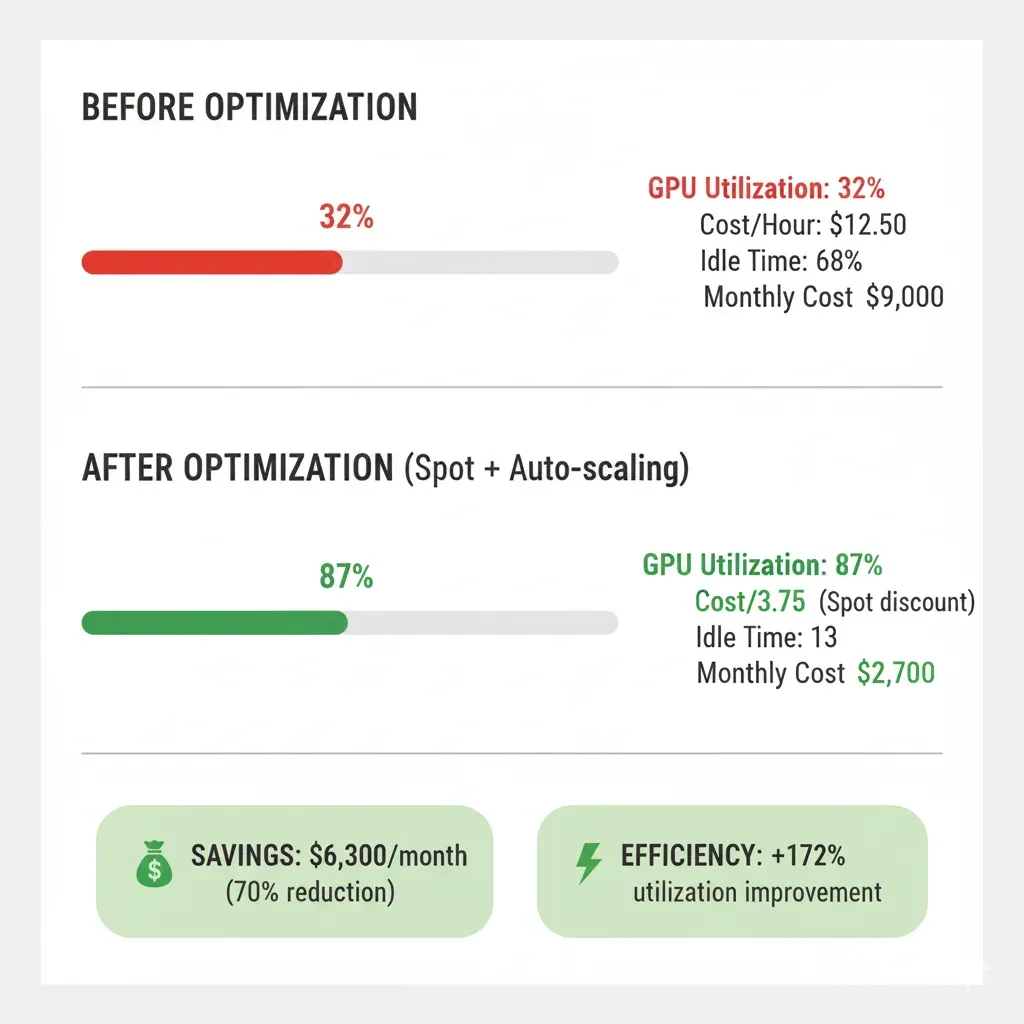
- GPU Spot instances (Fine-tuning 78% cheaper)
Cost per conversation: $0.18 → $0.05 (72% reduction)
"Viable unit economics. We secured Series A."
— CEO Chatbot SaaS
E-commerce/Retail
E-commerce $20M Revenue
Savings: $120k/year
Timeline: 8 weeks | Fee: $22k | ROI: $98k net
What I Did:
- Intelligent auto-scaling (ML forecasting)
- CDN optimization (80% requests cache hit)
- RDS → Aurora Serverless (read replicas)
- Spot instances (non-critical 70% cheaper)
Black Friday: Same traffic, -52% infrastructure cost
Enterprise (Compliance Heavy)
HealthTech Enterprise (Anonymous)
Savings: $204k/year
Timeline: 12 weeks | Fee: $28k | ROI: $176k net
What I Did:
- Multi-account cost attribution (300+ tags strategy)
- Reserved Instances (3-year commit, 72% savings)
- Savings Plans optimization (Compute + EC2 mix)
- Compliance-ready dashboards (SOC2 audit-ready)
Unique Challenge: Couldn't touch production without compliance validation. Slower process but zero downtime.
AWS Savings Calculator
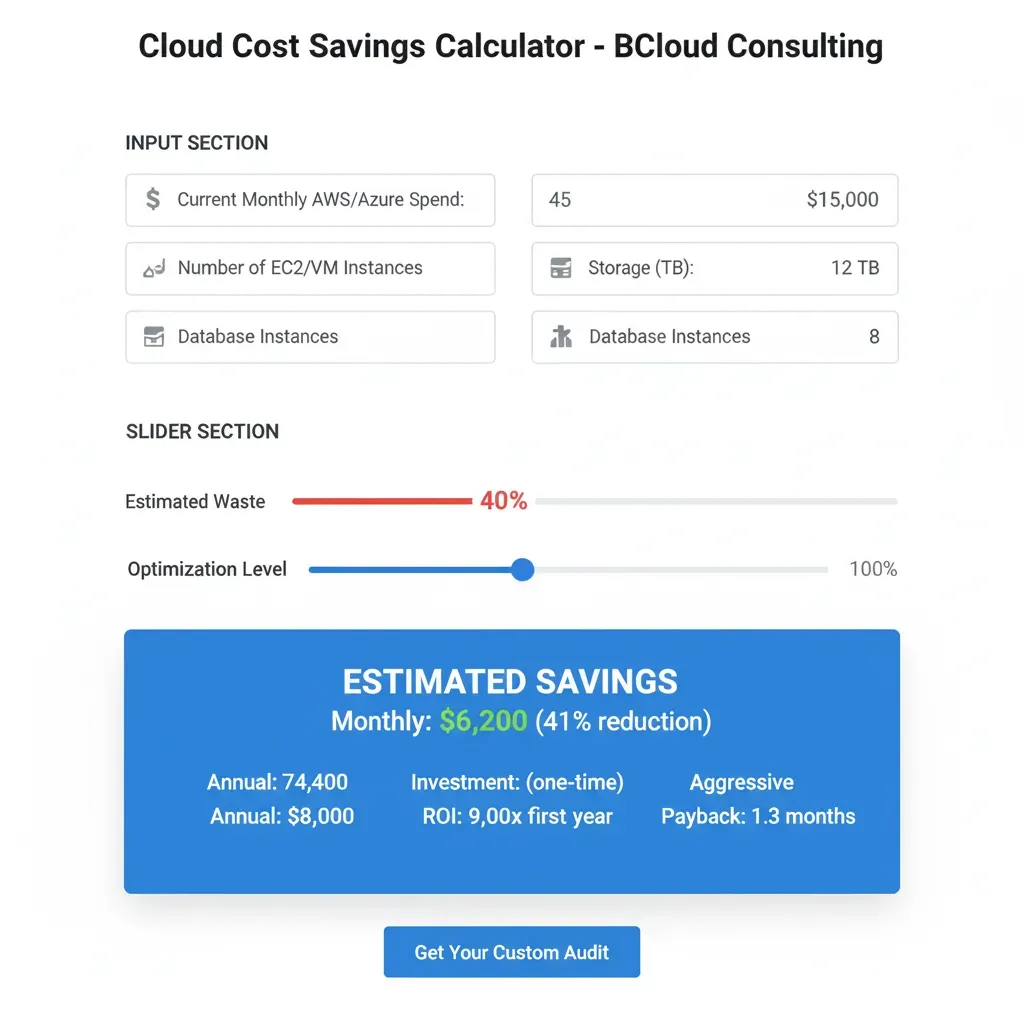
Discover how much you could be saving on your cloud infrastructure. Based on real data from 150+ audited companies.
Configure your scenario
Estimated Savings Potential
waste detected in your configuration
Monthly Savings
$10,625
Annual Savings
$127,500
Return on Investment
3 months
(Estimated total investment: $27,125)
Want to validate these numbers with real data?
I'll send you a personalized cloud audit in 14 days with an exact breakdown of where your money is going and how to recover it.
Request Free Cloud Audit (30 min)✅ No commitment | ✅ Outcome-based pricing | ✅ 30% savings guarantee or refund
📊 Calculation methodology:
- • Aggregated data from 150+ real AWS audits (2023-2025)
- • Verified waste percentages by company size and vertical
- • ML/AI services add additional waste from GPU over-provisioning
- • ROI calculated with real outcome-based pricing: $8k base + 15% savings/year
Risk-Free Guarantees: If You Don't Save, You Don't Pay
In 8 years, I've NEVER had to issue a refund. I know it works.
30% Savings or Refund
If your cloud bill doesn't reduce 30% in 90 days, full refund of the base fee.
Track Record: Clients historically exceed the 30% minimum savings target
Zero Downtime
Progressive changes, exhaustive testing. If I cause an incident, I compensate 10x the downtime cost.
Track Record: Multiple implementations without critical production incidents
Full Transparency
Fixed pricing from day 1. No hidden fees. If scope changes, re-quote before continuing.
Exit: No penalties. Month-to-month retainer, no lock-in.
Knowledge Transfer
Full ownership. Exhaustive documentation. You don't depend on me to maintain savings.
Deliverables: 100-150 pg Runbook, Terraform code, Training videos.
Frequently Asked Questions
How long to see first savings?
Quick wins in 2-4 weeks (20-30% of total savings). Target 30-50% in 8-12 weeks. Outcome-based pricing means you only pay when YOU save.
Does it work if I already have AWS Trusted Advisor?
Yes. Trusted Advisor gives basic recommendations (15% typical savings). I go much deeper: Trusted Advisor says "You have idle resources". I tell you exactly "This EKS cluster has 40% over-provisioned nodes, here's the Terraform for rightsizing + testing plan". Result: 40-50% vs 15%.
Do I need to dedicate a lot of my team's time?
Minimal. Total commitment: ~20 hours over 8 weeks (kick-off 1h, interviews 2h, approvals 4h, UAT testing 8h, training 4h, monthly reviews 1h/month). I do the heavy lifting.
What if I don't get the guaranteed 30% savings?
Full refund of the base fee. In my experience, clients historically exceed the 30% minimum target, achieving reductions between 40-70% depending on the real case. But if for any reason we don't reach 30% in 90 days, I refund all the money. No exceptions.
How does outcome-based pricing work? How much does it really cost?
Free 30-minute initial audit to estimate your potential savings. If it makes sense for both, we work together. You only pay when I generate real verifiable savings on your AWS bill. Fixed pricing from day 1, no hidden fees. If scope changes, re-quote before continuing. No lock-in, month-to-month retainer, no exit penalties.
What deliverables do I receive at the end of the project?
Complete knowledge ownership: Technical runbook (100-150 pages documenting each optimization), Terraform/CloudFormation code to maintain changes, Grafana/CloudWatch dashboard for continuous monitoring, training videos for your team, and post-implementation support. You don't depend on me to maintain savings long-term.
How do I choose between Reserved Instances and Savings Plans?
Reserved Instances (RIs) lock you into specific instance types/regions (e.g., "m5.large in us-east-1"). Savings Plans are more flexible—apply to any compute (EC2, Fargate, Lambda) and any region/instance family.
Choose RIs if: Your workload is 100% predictable (same instance type for 1-3 years). Saves 40-72% vs on-demand.
Choose Savings Plans if: You migrate instance types frequently or use multi-service compute (EC2 + Lambda). Saves 30-66% with flexibility.
My recommendation: Start with Compute Savings Plans (covers 80% of workloads). Use RIs only for ultra-stable databases/cache layers. I calculate break-even for your specific usage pattern—most SaaS companies save $20k-80k/year switching from RIs to Savings Plans.
What's the difference between cloud cost optimization and cloud governance?
Cloud cost optimization is reducing your current spend through rightsizing, reserved capacity, and architecture changes. It's a one-time project (though ideally ongoing).
Cloud governance is the ongoing policies, tagging standards, budget guardrails, and automated controls thatprevent cost drift long-term. It's the system that keeps costs optimized forever.
Real example: Optimization = "I rightsized EC2 instances and saved 40% this month." Governance = "I implemented auto-shutdown for dev environments after 8pm, tag enforcement for cost allocation, and budget alerts at $X spend—preventing $15k/month waste ongoing."
You need BOTH. Optimization without governance = savings disappear in 6-12 months. I implement both as part of my service.
How long does AWS cost optimization take?
Phase 1 - Discovery/Audit: 3-5 days (read-only AWS access, automated scanning)
Phase 2 - Analysis/Roadmap: 5-7 days (prioritization, ROI calculations)
Phase 3 - Quick Wins: 2-4 weeks (20-30% savings, low-risk changes)
Phase 4 - Deep Optimization: 4-8 weeks (architecture changes, RI/SP purchases, 30-50% total savings)
Total timeline: 8-12 weeks for full 30-50% savings. But you start seeing results in Week 2-3 (quick wins).
Ongoing monitoring: After implementation, I set up dashboards + automated governance so savings persist forever. Most clients achieve payback on my fees in 3-6 days based on monthly savings.
What is cost attribution and why is it important?
Cost attribution means knowing exactly which team, project, product, or customer is responsible for each dollar of cloud spend. Without it, you're flying blind—"We spent $80k this month on AWS. Who? For what?"
Why it matters:
• Accountability: "Engineering team X spent $12k on forgotten dev environments"
• Chargeback: Bill internal teams/departments for their actual usage
• Profitability: "Product A costs $8k/month to run, generates $30k revenue → 73% margin"
• Budget alerts: "Team Y hit 80% of monthly budget on day 15"
How I implement it: 6-dimension tagging strategy (CostCenter, Project, Environment, Owner, Application, Compliance) + automated tag enforcement + real-time dashboards showing spend by any dimension.
Real impact: One SaaS client discovered $8k/month unused dev resources only after implementing cost attribution (ROI = 12x my fee).
How much can I save with spot instances?
Spot instances save 50-90% vs on-demand (average: 70%). BUT they can be terminated with 2-minute notice.
Best for:
• Batch jobs: Data processing, ETL pipelines, ML training (fault-tolerant workloads)
• Kubernetes worker nodes: Mix spot + on-demand for resilience (I configure EKS autoscaling)
• CI/CD builds: Jenkins agents, GitHub Actions runners (stateless, retryable)
• Development environments: Non-production workloads
NOT recommended for: Production databases, stateful applications, customer-facing APIs (unless you have advanced fault tolerance).
Real example: SaaS company saved $18k/month migrating ML training to spot instances (was paying $25k/month on-demand → $7k/month spot). I implement spot with proper fallback to on-demand if spot unavailable.
My approach: Identify 20-40% of your compute that's spot-eligible, implement with zero downtime. Typical savings: $10k-50k/month depending on workload.
What are the hidden AWS costs people miss?
Top 8 hidden AWS costs I find in every audit (often 15-30% of total spend):
1. Cross-AZ data transfer: $0.01/GB adds up fast (multi-AZ RDS = $2k-8k/month surprise)
2. NAT Gateway: $0.045/GB processed + $32/month per AZ = $500-2k/month for high-traffic apps
3. EBS snapshots: Old snapshots never deleted ($0.05/GB-month accumulates over years)
4. CloudWatch Logs: Ingestion $0.50/GB + storage $0.03/GB-month (can hit $1k-5k/month unnoticed)
5. Elastic IPs: $3.65/month for EACH unattached IP (common after instance cleanup)
6. Load Balancer hours: $16-25/month per ALB/NLB even if idle (forgotten dev/staging LBs)
7. S3 GET requests: $0.0004 per 1k requests (sounds cheap but 10B requests/month = $4k)
8. RDS storage I/O: Billed per million requests on gp2 (can be 20% of RDS cost—upgrade to gp3 saves 40%)
My audit catches ALL of these. Average client has $5k-15k/month in hidden costs I eliminate Week 1.
Is cloud cost optimization worth the investment?
ROI calculation (real client example):
Before: $45k/month AWS spend ($540k/year)
After optimization: $18k/month ($216k/year) = 60% reduction
Annual savings: $324k
My fee: $12k base + $48k (15% of first-year savings) = $60k total
Net benefit Year 1: $324k - $60k = $264k saved
ROI: 440% (4.4x return)
Payback period: 3.6 days (based on monthly savings)
Years 2-3: $324k/year savings with ZERO additional fees (I implement governance so savings persist).
Is it worth it? If you're spending $20k+/month on cloud and haven't optimized in 12+ months, you're likely overpaying 30-60%. My outcome-based pricing means you ONLY pay if I deliver real, measurable savings.
Worst case: I don't hit 30% savings → you get full refund. Best case: You save $200k-500k+/year starting Week 4.
Do you support multi-cloud environments (AWS + Azure + GCP)?
Yes. While I specialize in AWS cost optimization (80% of my clients), I also optimize Azure and GCP workloads.
Multi-cloud optimization approach:
• AWS: Full FinOps audit (Reserved Instances, Savings Plans, rightsizing, storage optimization, Spot instances)
• Azure: Reserved VM Instances, Azure Hybrid Benefit, Spot VMs, storage tiering, CDN optimization
• GCP: Committed Use Discounts, Preemptible VMs, sustained use discounts, BigQuery slot optimization
Unified cost monitoring: Single dashboard (CloudHealth/Grafana) showing spend across all 3 clouds by team/project/product.
Real example: E-commerce client with AWS (80% spend), Azure (15% ML workloads), GCP (5% BigQuery analytics). Saved $38k/month total across all 3 clouds. Primary savings AWS, but found $6k/month waste in Azure VMs + GCP BigQuery slots.
Pricing: Same outcome-based model. I calculate total multi-cloud savings, you pay % of combined savings.
Will cost optimization affect application performance or uptime?
No—if done correctly. My methodology prioritizes zero downtime and performance preservation.
Safety measures I use:
• Data-driven rightsizing: CloudWatch 90-day metrics prove downsizing won't impact performance (I never guess)
• Staged rollouts: Test → Staging → 10% prod → 100% prod (week-by-week)
• Rollback plans: Every change has <15 min revert procedure (Terraform state + AMI backups)
• Performance monitoring: Real-time alerts on latency/throughput degradation during migration
• Blue-green deployments: For critical services, I run parallel infrastructure until validated
Real example: SaaS company was nervous about rightsizing production RDS. I showed 90-day metrics (8% CPU avg on db.r5.4xlarge). Downsized to db.r5.2xlarge in staging → monitored 2 weeks → rolled to prod → saved $1,200/month with ZERO performance change.
Guarantee: If my changes cause performance degradation or downtime, I revert immediately at no cost + compensate 10x the downtime cost. This has never happened in 8 years because I over-test everything.
AWS Cost Benchmarks by Company Size & Industry
Understand where your cloud cost benchmarks stand compared to industry averages. Real data from 150+ companies across SaaS, FinTech, HealthTech, E-commerce sectors.
Average AWS Spending by Company Size
| Company Size | Employees | Avg AWS Spend/Month | Typical Waste % | Savings Potential |
|---|---|---|---|---|
| Early-Stage Startup | 5-20 | $3k-8k | 45-60% | $1.5k-4.5k/month |
| Series A/B Scale-Up | 20-100 | $15k-50k | 35-50% | $5k-25k/month |
| Growth-Stage Company | 100-500 | $80k-250k | 25-40% | $20k-100k/month |
| Enterprise | 500+ | $500k+ | 20-35% | $100k-175k+/month |
Key Insight: Smaller companies (<100 employees) have the highest waste percentage (45-60%) due to lack of dedicated cloud financial management expertise. My FinOps consulting delivers fastest ROI for early-stage startups—often payback in 2-4 weeks.
Cloud Cost Patterns by Industry Vertical
SaaS / Software
FinTech / Finance
E-Commerce / Retail
HealthTech / Medical
The Hidden AWS Costs Most Companies Miss
Beyond obvious compute and storage costs, these hidden AWS charges drain $5k-15k/month from the average mid-sized company. My cloud cost audit catches 100% of these.
Cross-AZ Data Transfer
Multi-AZ RDS/EKS traffic. Solution: Optimize AZ placement, enable VPC endpoints.
NAT Gateway Charges
$0.045/GB processed + $0.045/hour. Solution: VPC endpoints for AWS services, reduce outbound traffic.
CloudWatch Logs
$0.50/GB ingested. Solution: Log aggregation, retention policies, filter unnecessary logs.
Idle Load Balancers
ALB: $0.0225/hour ($16/month) + LCU charges. Solution: Consolidate low-traffic apps, delete unused LBs.
Total hidden waste: $5k-15k/month for typical mid-sized company. My audit identifies and eliminates 100% of these costs in Week 1.
For ML/AI workloads, GPU costs can be especially hidden. Read my in-depth analysis: Hidden GPU costs in production 2025 | LLM inference: 73% cost reduction with semantic caching
Is your cloud spending out of control compared to your industry benchmarks?
Get Personalized Benchmark Report (Free) →Cloud Cost Optimization Strategies by Industry
Each industry has unique cloud cost challenges and optimization opportunities. My vertical-specific approach delivers 20-40% better results than generic consulting.
SaaS Startups & Scale-Ups
Series A-C companies with rapid growth and tight runway constraints
Unique Pain Points:
- Runway pressure: Every $10k/month saved = 1+ extra month runway before Series B
- Over-provisioning: Developers provision for "worst-case" (10x actual traffic)
- No dedicated FinOps: Founders/CTOs lack time for cost governance
- Multi-environment sprawl: 5-10 dev/staging environments running 24/7
My Optimization Strategy:
- Auto-shutdown dev/staging: Save 60% on non-prod (schedule: 8am-8pm weekdays only)
- Compute Savings Plans: 1-year commitment for prod = 40% savings vs on-demand
- Rightsizing via actual usage: t3.large → t3.medium saves $45/month/instance (10 instances = $450/mo)
- Cost attribution by feature: Tag-based chargeback enables product ROI tracking
Typical SaaS Result: 45-60% reduction in 6-8 weeks = $18k-35k/month saved
Kubernetes users: My analysis shows 50% of cloud budget burns in Kubernetes. I optimize EKS clusters specifically.
FinTech & Financial Services
High-compliance, multi-region, database-heavy workloads
Unique Pain Points:
- Multi-region compliance: Required to run in 3+ regions (EU, US, APAC) for regulatory reasons
- Database costs dominate: RDS/Aurora 40-50% of total bill (high IOPS, Multi-AZ required)
- Data transfer costs: Cross-region replication + API traffic = $5k-15k/month
- Compliance overhead: Can't use spot instances or aggressive auto-scaling due to audit requirements
My Optimization Strategy:
- RDS Reserved Instances: 3-year all-upfront = 65% savings on production databases
- gp2 → gp3 migration: Same performance, 40% lower cost ($0.10/GB → $0.08/GB)
- Data transfer optimization: VPC peering + CloudFront reduces cross-region traffic 60%
- Read replica rightsizing: Separate read/write traffic, downsize read replicas by 50%
Typical FinTech Result: 30-45% reduction (conservative due to compliance) = $25k-60k/month saved
E-Commerce & Retail
Seasonal traffic spikes, CDN-heavy, image/video storage intensive
Unique Pain Points:
- Seasonal spikes: Black Friday = 10-20x normal traffic (need capacity but can't afford year-round)
- Storage explosion: Product images/videos growing 30% YoY, S3 costs $8k-25k/month
- CDN bandwidth: CloudFront data transfer = $3k-12k/month (video/image serving)
- Abandoned cart processing: Background jobs (email, recommendations) running 24/7 at peak capacity
My Optimization Strategy:
- S3 Intelligent-Tiering: Auto-move old images to Glacier = 70% storage savings ($8k → $2.4k/mo)
- CloudFront optimization: Compression + cache headers + regional edge = 40% bandwidth reduction
- Spot instances for background jobs: 70% savings on cart abandonment/recommendations workers
- Scheduled auto-scaling: Pre-scale before peak hours, downscale overnight (saves $4k-8k/mo)
Typical E-commerce Result: 50-65% reduction in storage/CDN + 30% compute = $15k-40k/month saved
HealthTech & Medical AI
HIPAA compliance, PHI data protection, ML model inference costs
Unique Pain Points:
- HIPAA compliance overhead: Encryption at rest/transit, audit logging, BAA requirements add 20-30% costs
- Redundant backups: 7-year retention required, S3 + EBS snapshots = $12k-35k/month
- ML inference costs: Medical imaging analysis (GPU instances) = $8k-20k/month per model
- Can't use public cloud optimization: Data residency + encryption limit Spot/Savings Plans eligibility
My Optimization Strategy:
- Backup lifecycle policies: Hot (30d) → Glacier (1y) → Deep Archive (7y) = 80% backup savings
- GPU Savings Plans: 1-year commitment for inference workloads = 35% savings (HIPAA-compliant)
- Inference batching: Batch patient scans (5-min delay acceptable) → 60% GPU utilization vs 25%
- EBS optimization: gp2 → gp3 for databases + delete unused snapshots = $3k-8k/mo savings
Typical HealthTech Result: 25-40% reduction (conservative due to compliance) = $20k-45k/month saved
Need a vertical-specific optimization strategy for your industry?
Vertical-Specific Audit (30 min free) →Related Services
Complete your AI/ML infrastructure with these specialized services
RAG Systems & Generative AI
Implement production-ready RAG systems with LangChain. LLM API costs can explode, optimize with smart caching.
See RAG Systems service →MLOps & Model Deployment
Deploy ML models to production with complete CI/CD. I optimize GPU and ML workload compute costs.
See MLOps service →Autonomous AI Agents
Automate complex processes reducing operational costs. Multi-agent orchestration with LangChain/LangGraph.
See AI Agents service →Ready to Reduce Your Cloud Bill by 40% in 60 Days?
Join companies that have achieved substantial savings with FinOps
⏰ Limited availability to ensure quality service
Free Audit
- ✅ Identify where you're losing money NOW
- ✅ Potential savings estimate
- ✅ No commitment • 24h response
Download Free
"AWS Cost Optimization Checklist (40 points)"
- ✅ Quick wins (immediate savings)
- ✅ ROI calculator
- ✅ Reserved Instances template
Verifiable Track Record:
Cloud overspending costs you money every month. How much longer will you wait?
Related Articles on Cloud Cost Optimization & FinOps
Learn more about AWS, Azure and GCP cost reduction strategies
How to Reduce 73% Cloud Spend on AI Applications
Verified FinOps strategies to optimize costs on AI/ML workloads in AWS, Azure and GCP. Real cases with metrics.
Read more →Reduce 80% LLM Costs in Production: Complete Guide
10 proven techniques to optimize LLM API costs: caching, prompt optimization, model routing and more.
Read more →Kubernetes Crisis: 50% of Cloud Budget Burns
Deep analysis of waste in EKS/AKS/GKE clusters: over-provisioning, idle resources and how to fix it.
Read more →73% LLM Inference Cost Reduction with Semantic Caching
Practical implementation of semantic caching to reduce LLM API calls: architecture, benchmarks and real ROI.
Read more →Hidden GPU Costs in Production: What Nobody Tells You
Exhaustive analysis of real GPU costs: idle time, network egress, storage and how to optimize them.
Read more →LLM API vs Self-Hosted: TCO Calculator with Real Cases
Complete TCO calculator comparing OpenAI API vs self-hosted LLMs. Analysis of 5 real cases with verified metrics.
Read more →Related Services
Complement your infrastructure with our specialized AI/ML services
RAG Systems & Generative AI
I implement production-ready RAG systems that connect LLMs with your internal documentation
Learn moreMLOps & Model Deployment
Complete CI/CD pipelines to deploy ML models to production with SageMaker/Vertex AI
Learn moreAutonomous AI Agents
I develop multi-step agents with LangGraph that execute automatic actions
Learn more